All apps

Disk Space Monitor & Alerts
Warns you before your disk is full – and tells you why.
Mac users & developersmacOSFreeSince 2026Swift & SwiftUI
Screenshots
← swipe to see more →
About Disk Space Monitor
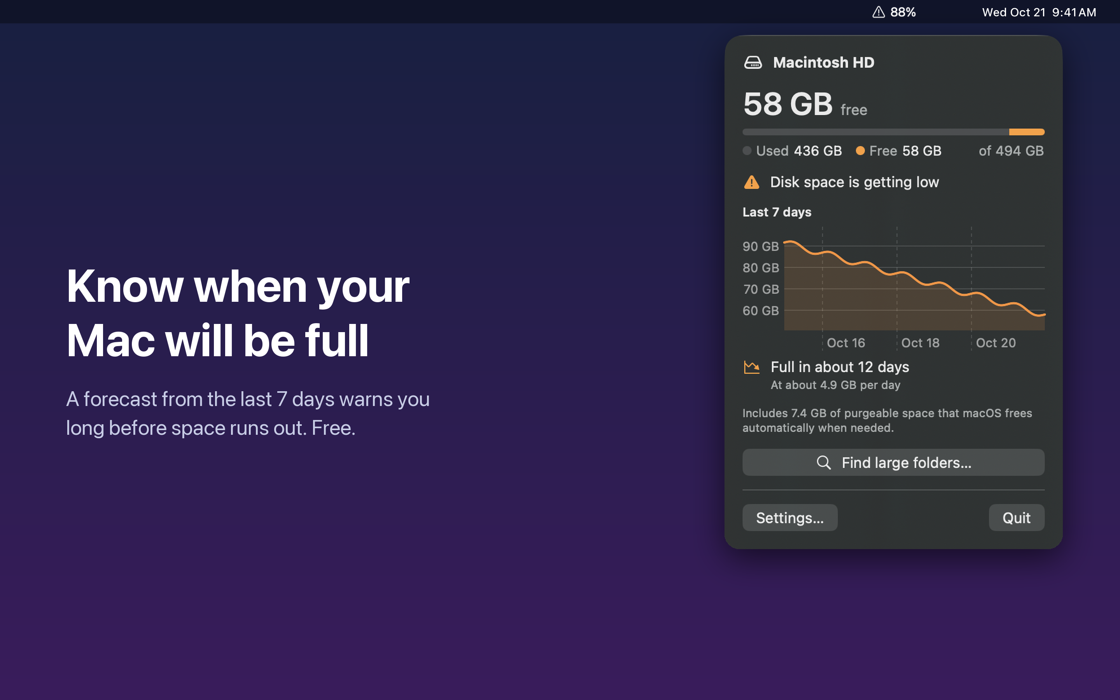
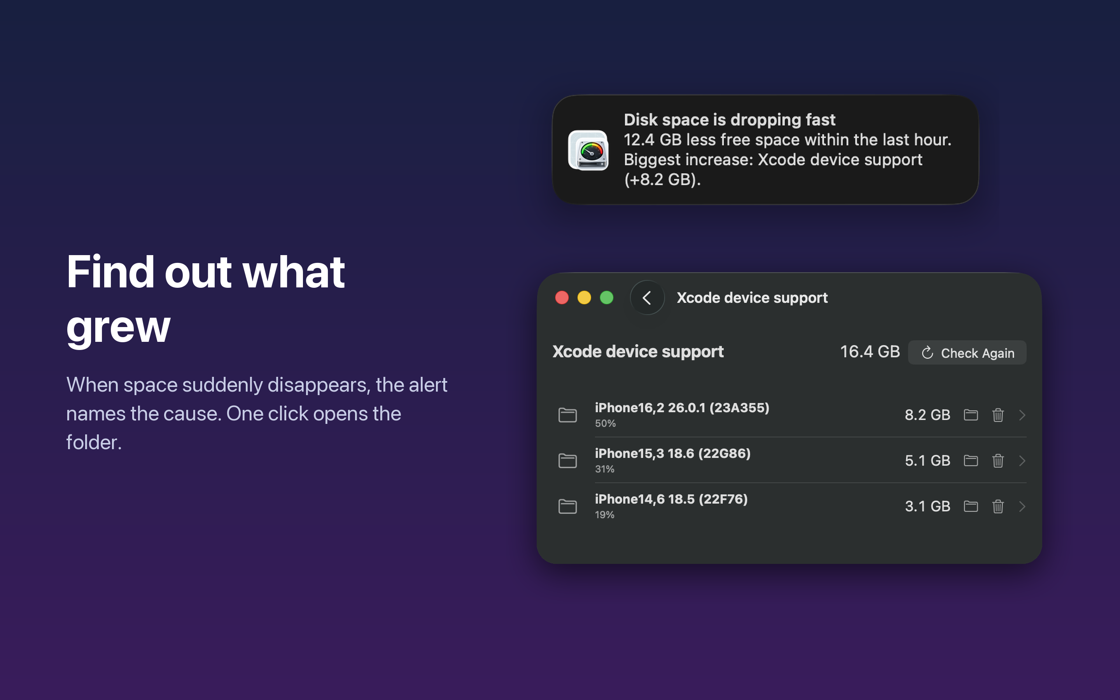
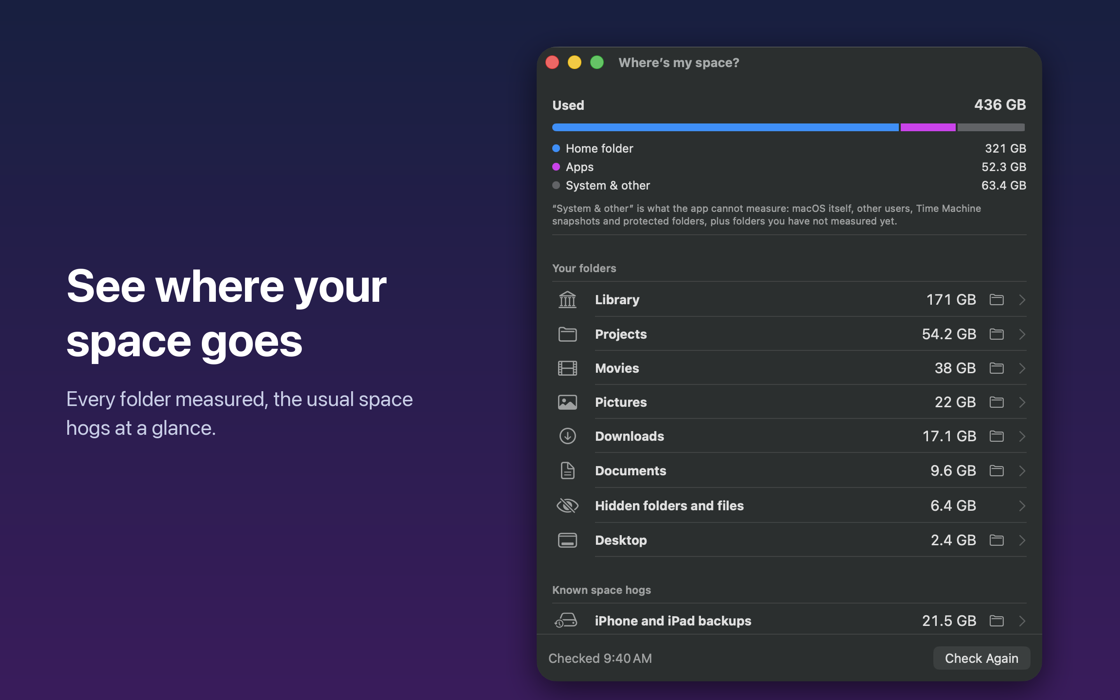
Disk Space Monitor & Alerts lives in the menu bar and keeps an eye on your free disk space, so you find out days ahead instead of when an update fails. A forecast from the last seven days tells you when the disk will be full. With the one-time Pro upgrade, a sudden drop triggers an alert that names the folder that grew – one click opens it – and "Where's my space?" shows what takes up room, including the Xcode, simulator and package caches that developers collect. Everything stays on your Mac: no account, no tracking.
What's inside
- Free space at a glance in the menu bar
- Forecast: "Full in about 12 days", based on the last 7 days
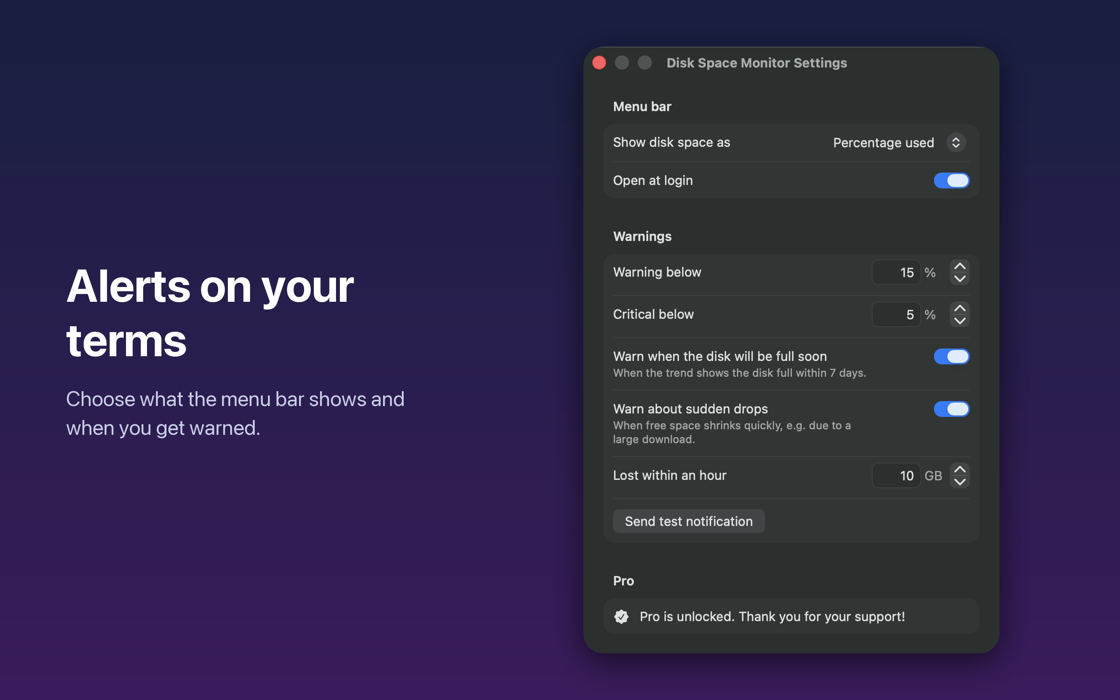
- Alerts at thresholds you choose
- Pro: sudden-drop alerts that name the folder that grew
- Pro: "Where's my space?" finds large folders and developer caches
- No account, no tracking – free with a one-time Pro upgrade
